 By SC
By SC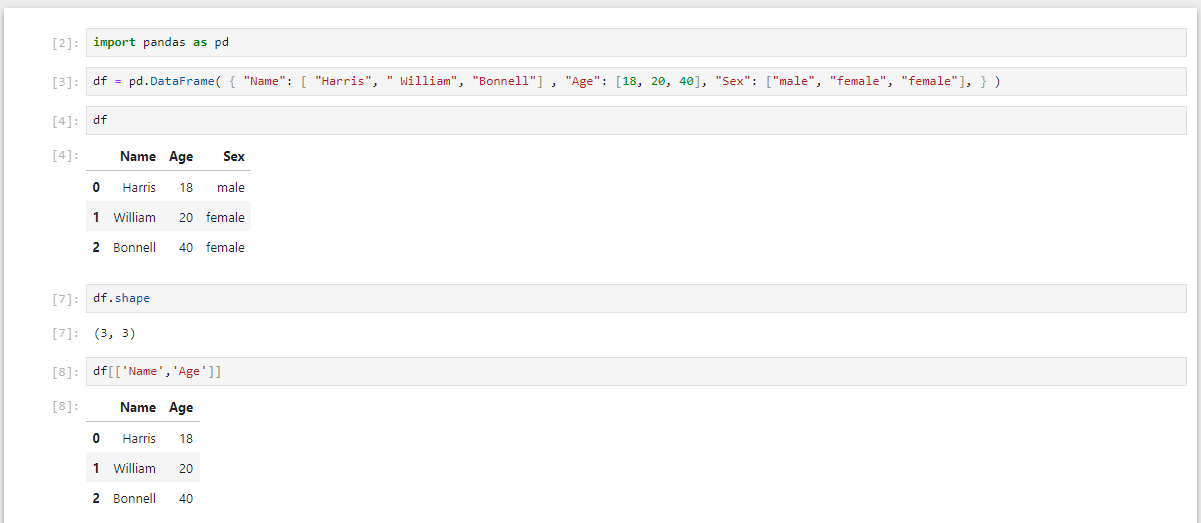
To work with dataframe rows and columns different methods can be used as described below
1.First we create a dataframe as shown below which has 3 columns and 3 rows.
df = pd.DataFrame(
{
"Name": [
"Harris",
" William",
"Bonnell"]
,
"Age": [18, 20, 40],
"Sex": ["male", "female", "female"],
}
)
Output:
Name	Age	Sex
0	Harris	18	male
1	William	20	female
2	Bonnell	40	female
Filtering & Selecting Data Frame
2.Shape of data frame can be checked by typing df.shape as shown below
df.shape
Output:
(3,3)
#3 rows and 3 columns
3.For selecting name and age column only
df[['Name','Age']]
Output:
Name	Age
0	Harris	18
1	William	20
2	Bonnell	40
4. For selecting rows only by name and age
df[(df['Name']==' William')]
Output=  Name	Age	Sex
1	William	20	female
# age is greater than 30
df[df['Age']>30]
Output=  Name	Age	Sex
2	Bonnell	40	female
6.Select rows and columns by index using iloc
df.iloc(rowindex,colindex)
df.iloc[1:3,0:2]
#it will output row 1:3(2nd and 3rd index),Columns(1st and 2nd index)
Output:
Name	Age
1	William	20
2	Bonnell	40
7. Select rows and columns with any criteria using loc
# if you want to  find names of the person who has age greater than 30
df.loc[df['Age']>30,'Name']
Output:
2    Bonnell